Configuring Cisco ACI support
Cisco Application Centric Infrastructure (ACI) Application Policy Infrastructure Controller (APIC) integration settings are under Configure > All Settings > Integrate > Cisco ACI.
Cisco ACI is a software-defined networking (SDN) solution designed for data centers. ACI fabric consists of network components connected in a spine-and-leaf switch topology that it is provisioned and managed as a single entity. The APIC allows you to configure the network infrastructure centrally based upon network policies.
NetIM’s Cisco ACI APIC integration discovers, collects, and imports Cisco ACI devices, topology, and configuration, as well as supports polling metric data from the APIC platform. Enter the APIC’s address, credentials, and optional proxy information.
Cisco ACI settings
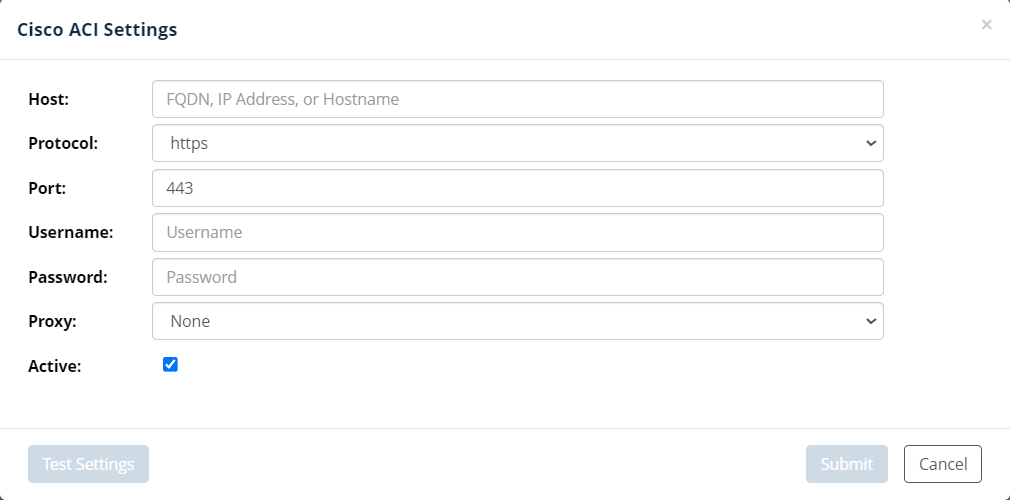
If the APIC settings are set to active, the Cisco ACI APIC is queried for device, topology, and configuration data during the NetIM Master Schedule. Metrics are polled from the Cisco ACI APIC with a schedule determined by the metric class settings in the default polling profile.