Configuring Cisco Meraki integration
When adding a new Meraki Account setting, the Host, Protocol, and Port fields are prefilled. It is unlikely you need to change them. You need to provide the username, typically the user login email address, and an API key, which can be generated on Meraki Dashboard once you log in to the Dashboard on web UI.
The Test Settings button tests the username and API Key by trying an API call to the Meraki server.
Configure Meraki account setting
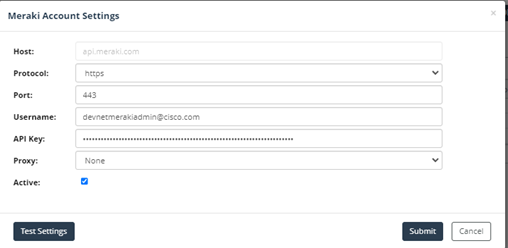
Although a user can persist this setting even if test settings fails (for offline mode support), the user should not leave it active if the test fails.
Device discovery via Meraki API features
The Device discovery and Import > Device and Platform Info Import adapter discovers devices managed by Cisco Meraki using the globally configured Meraki Account settings.
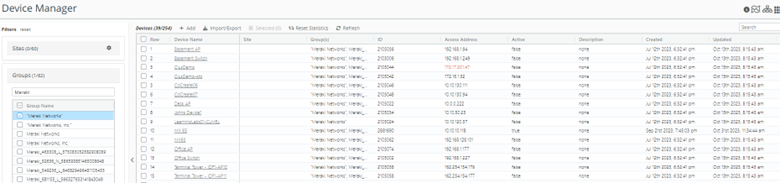
Discovery adds Meraki Secure Appliance, Meraki switches, and WAPs to the managed devices list, and ignores mobile devices.
Discovery sets name, access address, and latitude/longitude of the device entries.
The following is a snapshot of the device entries discovered by Meraki service.
Device entries added by Meraki DnPI import
Device auto configuration
All device entries discovered by Meraki API are auto-configured for CLI & SNMP access. The global discovery settings and working DnPI entries’ credentials are used during auto-configuration.
Meraki Network Import for model creation
Cisco Meraki Network Import adapter is created to import device/network model from Meraki service.
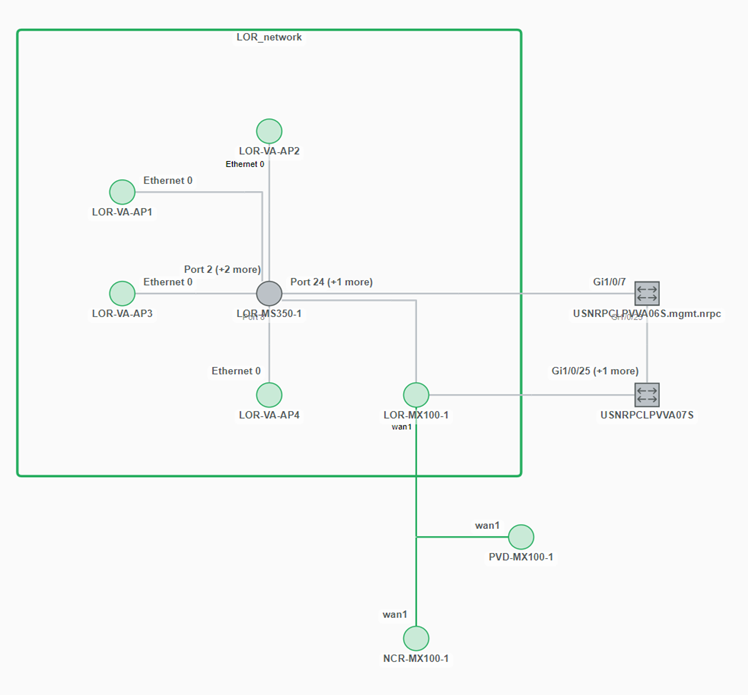
The model includes devices, interfaces, and interface level IP/LLDP/CDP configurations. Connectivity between devices is inferred by the Link Inference engine, and groups are created for each Meraki “network” object.
Network topology of a site with Meraki devices
Metric polling via Meraki API
Meraki is the secondary source for device metric data. If devices are reachable via SNMP, then SNMP is the favored poller for metric data polling.
For devices managed by Meraki, but not reachable via SNMP, the following metrics are collected by Meraki API Poller:
• Device Status
• Device Health
• Interface Status
• Interface Utilization
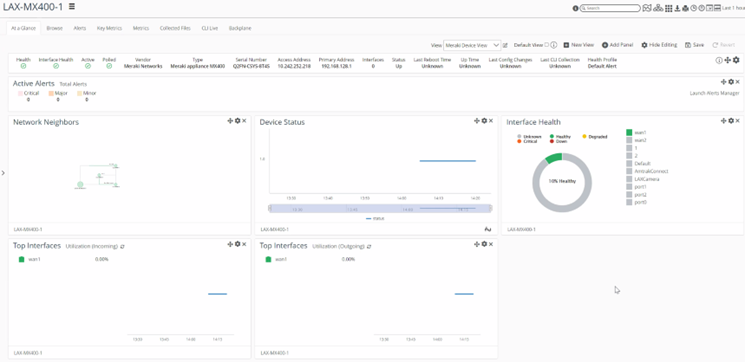
Following is an example of customized Meraki device view, which includes panels for just metrics that Meraki API Poller support.
Customized device summary view of Meraki device
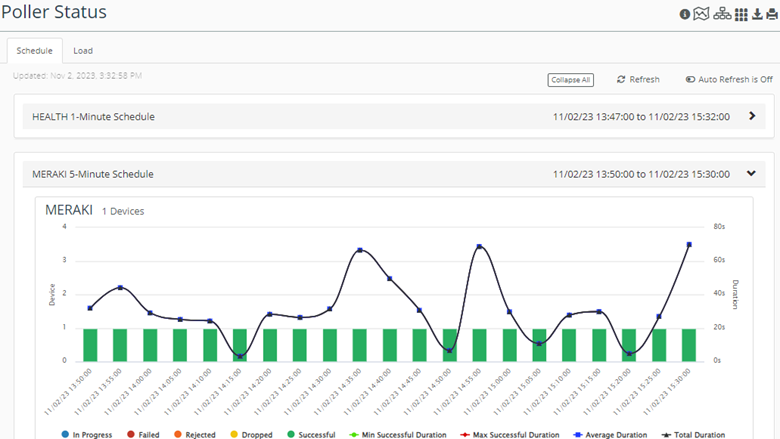
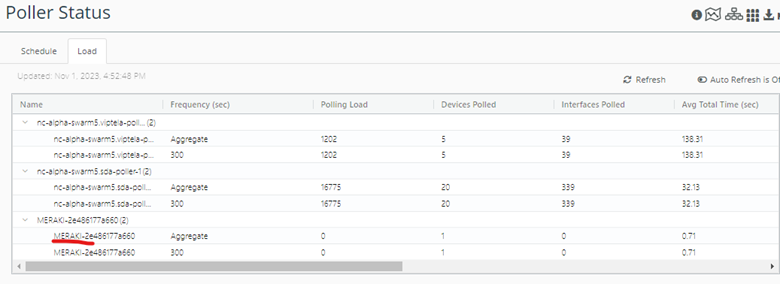
Meraki Poller status is added to Poller Status UI, including the Schedule and Load. See the following snapshots.
Poller Status > Schedule > Meraki
Poller Status > Load includes Meraki Poller load
Meraki is the secondary source for device metric data. If devices are reachable via SNMP, then SNMP is the favored poller for metric data polling.