Organizational policy template audit
Organizational policy configuration settings are under Configure > All Settings > Customize > Organizational Policies.
Organizational Policy Audit page
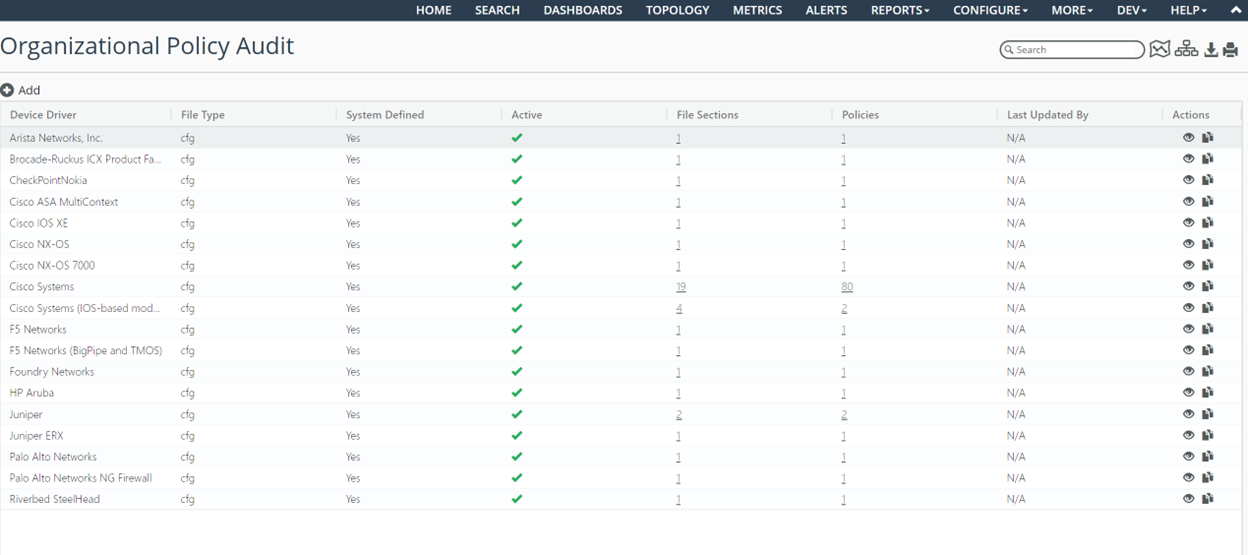
The Organizational Policy Audit is a microservice that is expected to be run after every CLI collection (that is, after collection during the Master Schedule). The Organizational Policy Audit populates two new metric classes: NetAuditor Results and NetAuditor Org Policy Results.
Template auditing rules are defined per device driver.
From the Organizational Policy Audit configuration page, you can view and clone existing system-defined out-of-the-box templates per NetIM device driver. The Device Config File type is currently supported for auditing purposes. You clone a system-defined policy to edit and create custom policies and file section definitions. Only one active policy is allowed per device driver.
When you edit or view a policy, you are presented with a JSON editor that allows you to define/edit file sections and define/edit policies. The file sections and policies are regex based.
The file sections are optionally referenced by the policies to facilitate creation of the audit policies.
You can view summary results of the audit on the Home, Site/Group, Organizational Policy Summary, and Device pages.
A Global On/Off switch is available in General Settings for controlling whether the audit function will be performed. By default, the auditing function is enabled.
• More out-of-the-box policies defined (Cisco IOS).
Around 80 out-of-the box Organizational Policies for the Cisco Systems IOS are introduced. These policies are created based on common best practice recommended by Cisco Systems.
These policies are set to inactive by default in the default policy. These OOTB policies serve as a reference for adding new policies.
Based on the applicability of the policy, the policy document can be cloned, and the policies of interest can be activated by editing the policy definitions.
• Support to apply selected policies on targeted user created device groups.
Since only one out-of-box policy is provided per device driver (OS Type), all the organizational policies for that OS type are defined in one policy document. However, not all the policies may be applicable to all the devices of same OS Type. For example, based on the role played by the devices in the network, or the IOS version, some of the polices may be not relevant to some devices.
This enhancement allows you to create groups containing set of devices to which a specific policy is applicable by associating the user group to the policy. When none of the user group is specified, the policy is applied to all the devices of that OS Type.
Organizational policies for Cisco Systems
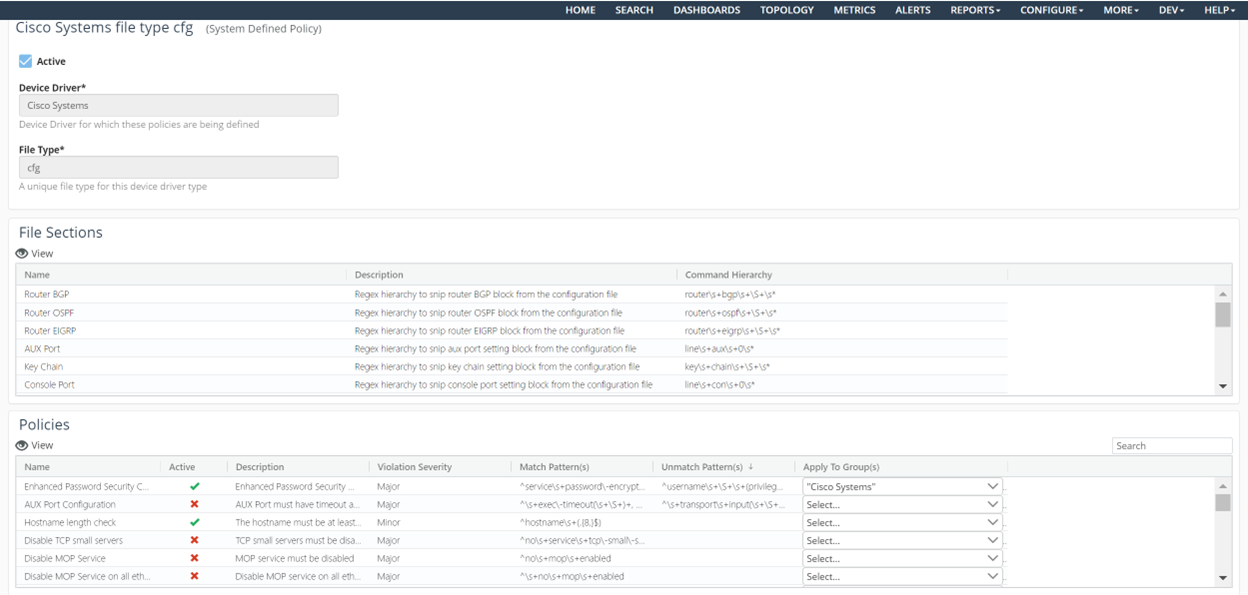
Apply To Group(s) column

• Filtering irrelevant file blocks prior to policy violation check.
This provides an option to ignore some of the configuration blocks from being considered to check for policy violation.
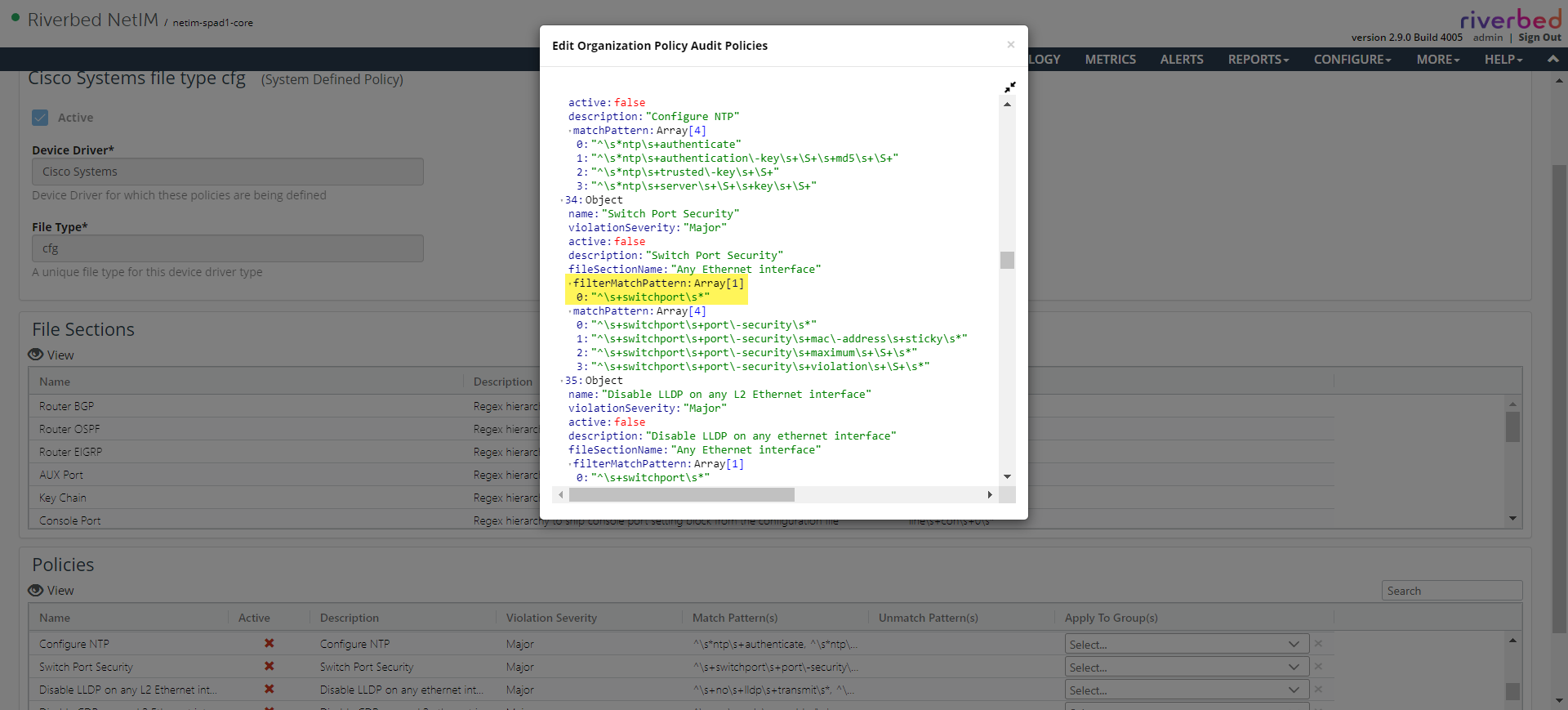
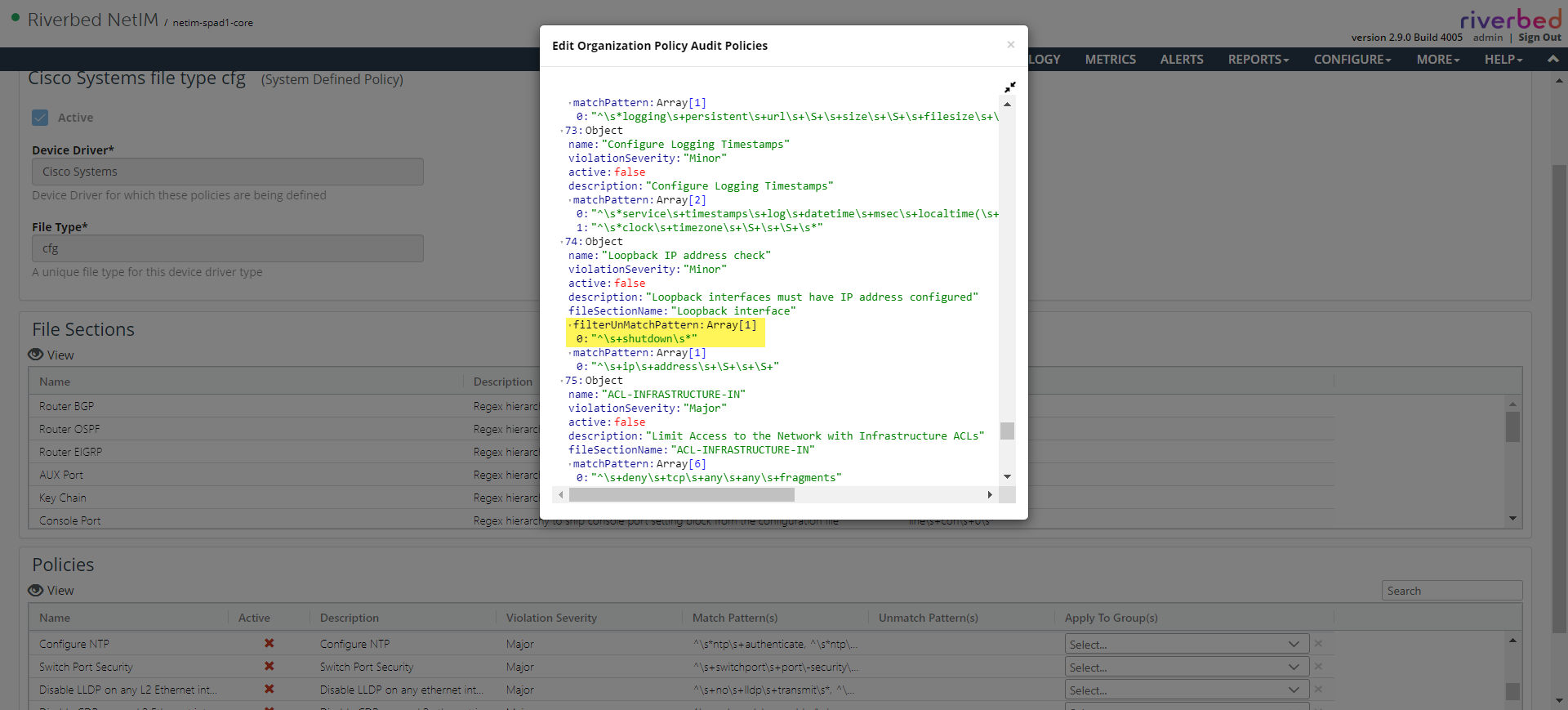
For example, the OOTB policy to check for the presence of IP address on an interface is relevant only when the interface is not shutdown. In such case, the filter match/unmatch pattern can be used to filter the file blocks that are to be considered to check for policy violation.
Filter match
Filter unmatch
• Masking sensitive information in policy results in metric data.
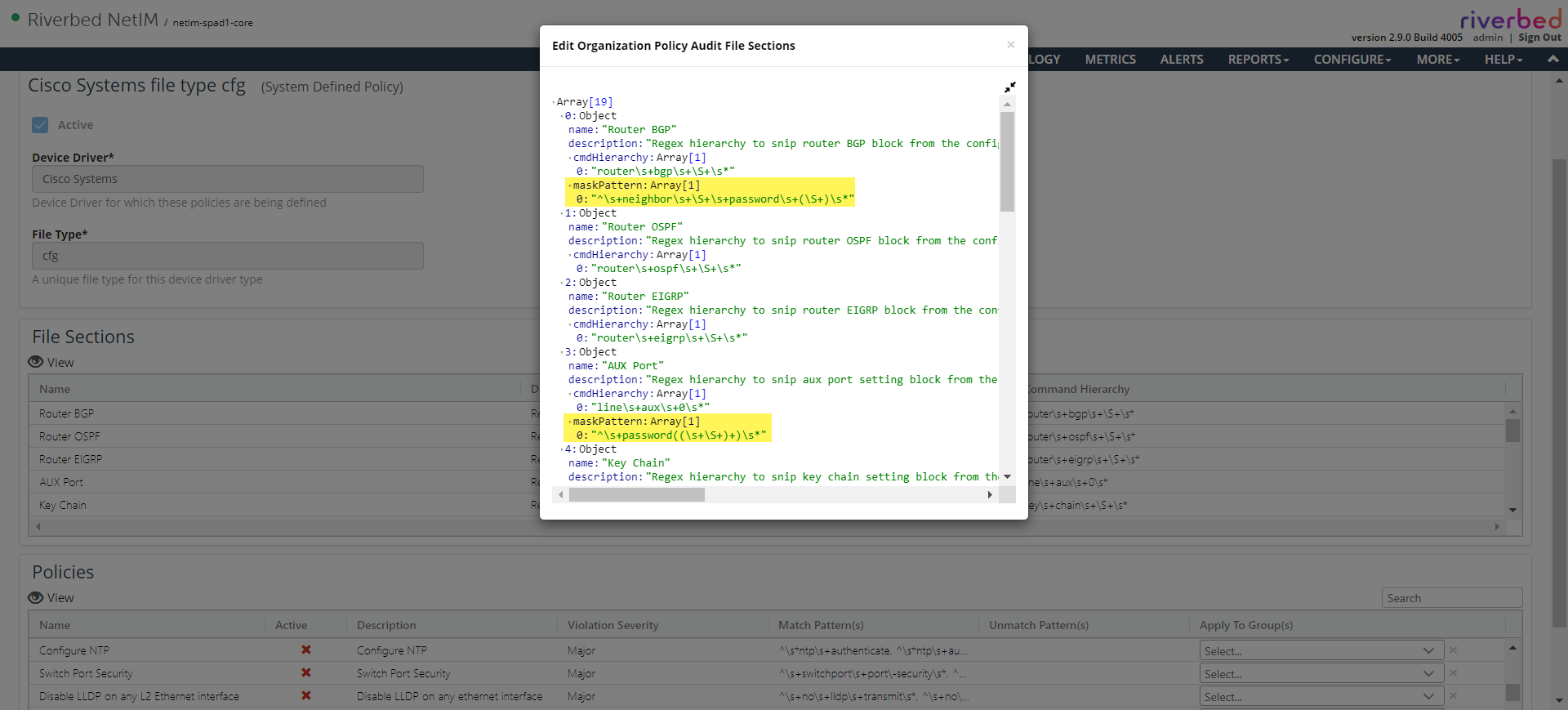
The policy violation details are persisted as metric in the database with the snip of the original collected file that is used to check the policy violation. Since the original file can have some sensitive information like passwords or secret keys, it is necessary to make sure that information is not seen in the metric data. Users can define a mask pattern as a part of the file section definition to match the sensitive information that will be replaced with an asterisk (*):
– If the mask pattern contains a subgroup in the regular expression, then only the subgroup string alone will be replaced with an asterisk (*). For example, mask pattern password\\s+(\\S+)\\s* will replace the configuration as password *****.
– If the mask pattern does not have a subgroup, then entire match string will be replaced with an asterisk (*). For example, mask pattern password\\s+\\S+\\s* will replace the configuration as *****.
Password masking in a subgroup
Password masking without
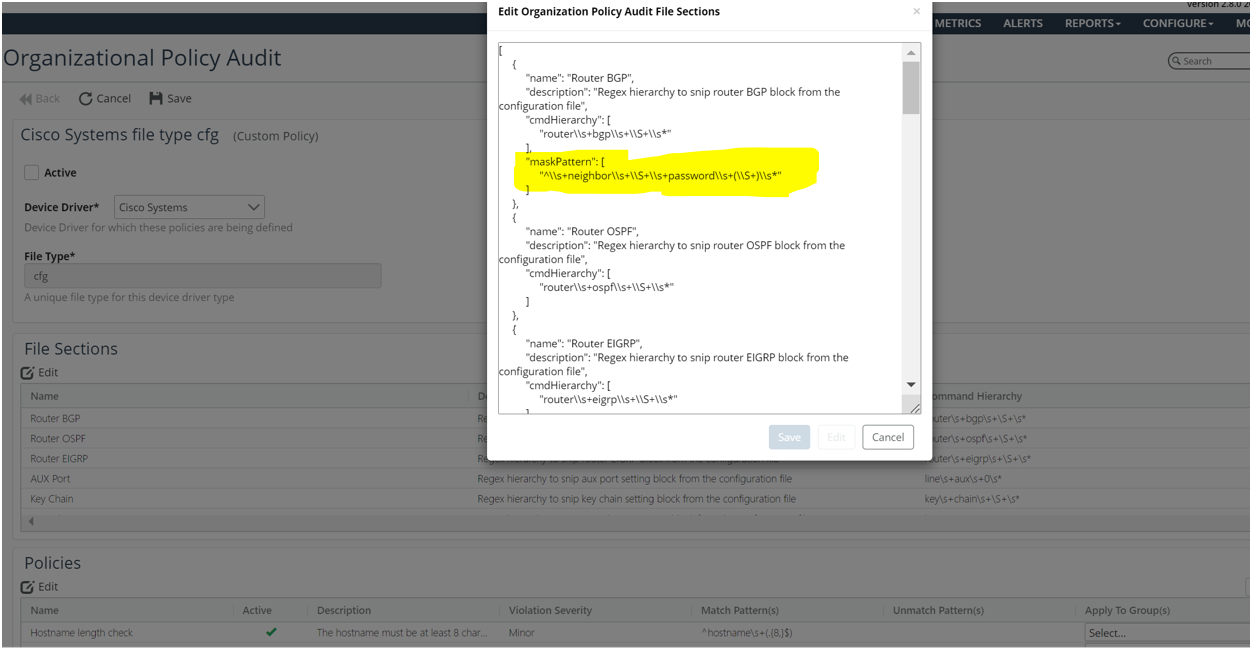
a subgroup
• Configuration page.
The UI for the organizational policies has a table view of the policy and the file section definitions. The table does not contain all the fields supported in the file section and policy definition. The most used fields are seen prominent. However, the edit/view window shows the complete file section and policy definition.
• Summary page.
The new Organization Policy Summary page can be launched from the Configure menu. This summary page provides various perspectives of the policy results.
• Troubleshooting guide
At the end of collection (for example, The Daily Full Model Refresh), Organizational Policies are applied on all the collected configuration files from the targets based on the policy configurations and the device driver associated to those targets. The result of the policy audit is stored as metric and can be seen in the Metrics table NetAuditor Results and NetAuditor Org Policy Results. If the NetAuditor policy results were not seen check for the below in the AuxiliaryServices log in the NetIM Core.
AuxiliaryServices.slf4j.<date>
AuxiliaryServices log

Since the Regular Expressions used in the policy definitions conform to Java Code regular expression, make sure it have the backslash escaped with a backslash.
For example: ip\\s*\\S+ (We need to escape the backslash)