Command type manager
Perform the following procedure to create a new command type. You create a new command type as part of creating or editing a device driver.
To create a command type
1. Log in as a user with administrative privilege.
2. Choose Configure > All Settings > Customize: Device Drivers.
3. Select Create or Edit Device Driver.
4. Perform the steps in the applicable procedure until you reach the Collection Commands. After you create the command type, return to your procedure and finish creating/modifying the device driver.
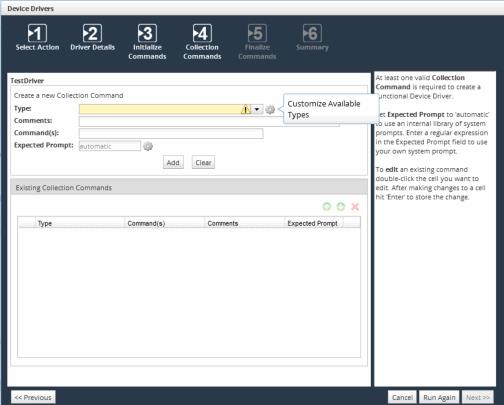
5. On the Create a new Collection Commands page, next to the Type field, click the Customize Available Types gear icon, as shown in the following screen:
Customize Available Types gear icon
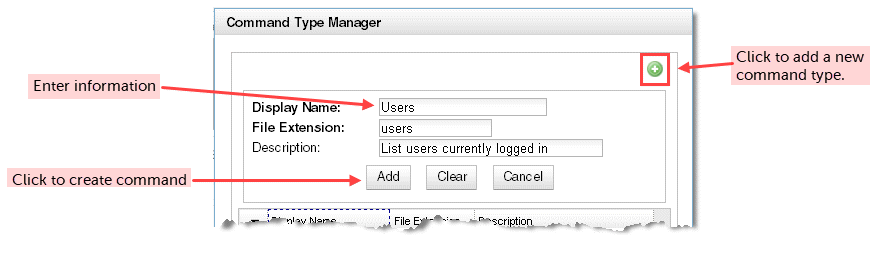
6. Click the add icon in the Command Type Manager to add a new command type. Enter the following information for the command type:
– Display Name
– File Extension
– Description
Command Type Manager wizard
7. When finished, click Save to save the changes and exit the Command Type Manager. You cannot modify or delete a command type after you save it.