Syslog management
NetIM provides syslog receiving and management. Syslog receiving occurs on the NetIM core; however, devices must be configured to send syslogs to the IP address of the NetIM core. NetIM maps syslog messages to NetIM severities to allow alerting and notification based on incoming syslogs.
By default, syslog severities are mapped to one of the following NetIM’s severity levels:
• Emergency(0) is mapped to Critical(5)
• Alert(1) is mapped to Critical(5)
• Critical(2) is mapped to Critical(5)
• Error(3) is mapped to Major(4)
• Warning(4) is mapped to Minor(3)
• Notice(5) is mapped to Minor(3)
• Informational(6) is mapped to Informational(2)
• Debug(7) is mapped to Informational(2)
You can use syslog severity values to create minor, major, and critical alerts in the NetIM Alerts Profile Page. In the Alerts page, perform this task:
To use syslog severity values to create minor, major, and critical alerts
1. Log in to the UI as admin.
2. Choose Configure > All Settings > Alert > Alert Profiles.
The following screen appears.
Alert Profiles page
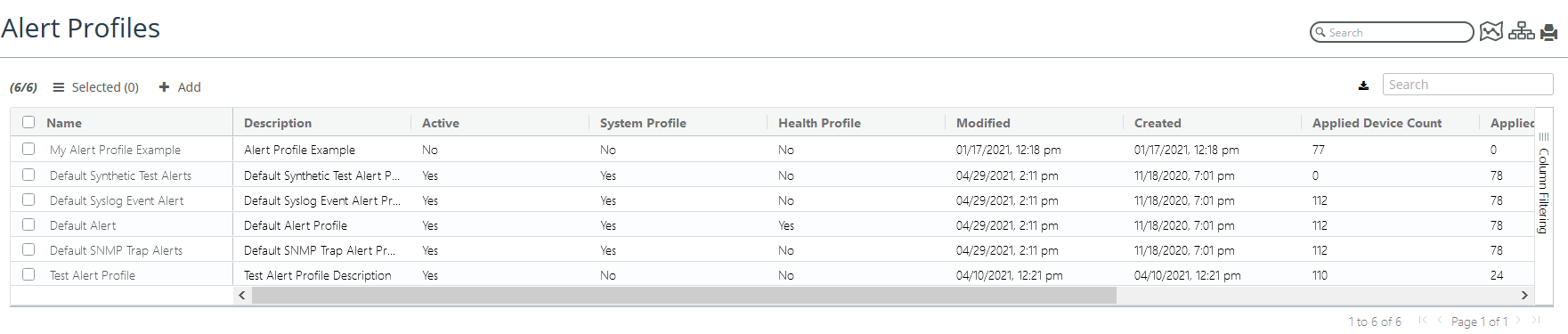
3. Select the Default Syslog Event Alert, and then click the Edit Profile icon.
The following screen appears.
Syslog Event alerts
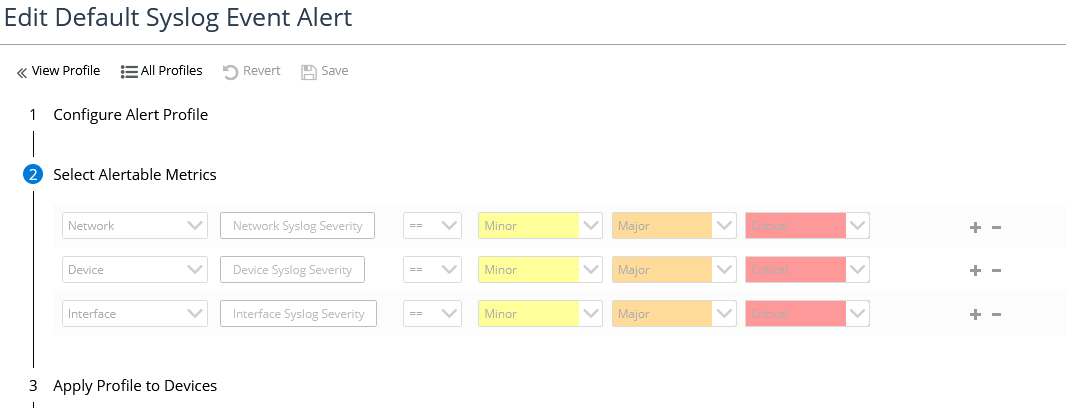
4. Navigate to step two, and set the syslog severity metric using the preceding syslog severity values.
5. To record your edits, click Save.