Adding metrics
The following dialog appears if you choose Add Metric(s). Select from Common Metrics quick-links or expand available metrics in the All Metrics list to choose specific metrics. In this case, since you are already viewing Memory Utilization for your device, you also want to see the device’s availability to determine if there was any downtime during the displayed time period, as shown in the following screen.
Add Metric(s) pop-up
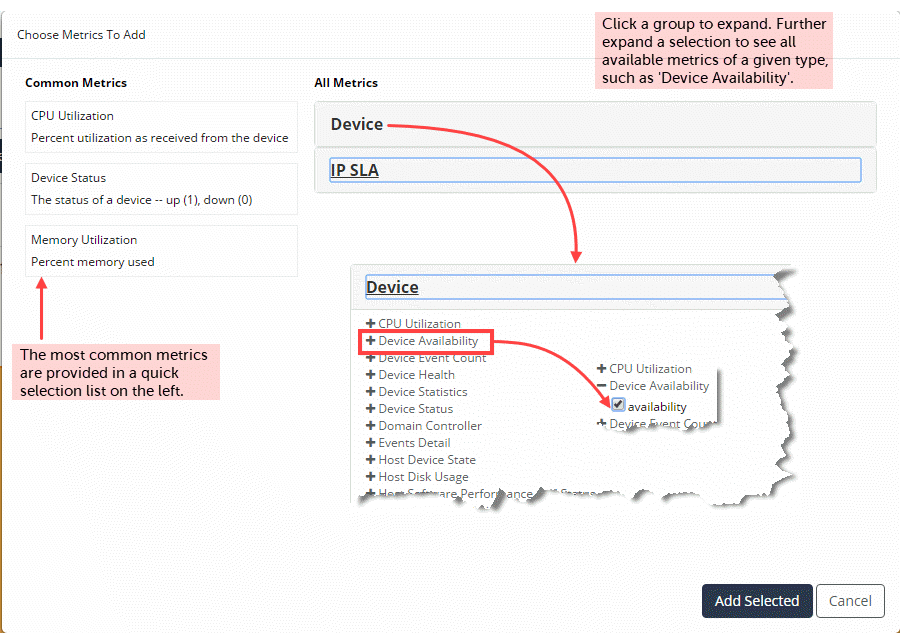
The metrics selector is context-aware. If you have selected a device object, only device metrics will be shown.