Simple search
You can do a simple search by entering your search term in the space provided and pressing Return, or you can narrow down the search by your items of interest: Devices, Groups, Interfaces, Hosts, or Configuration Files.
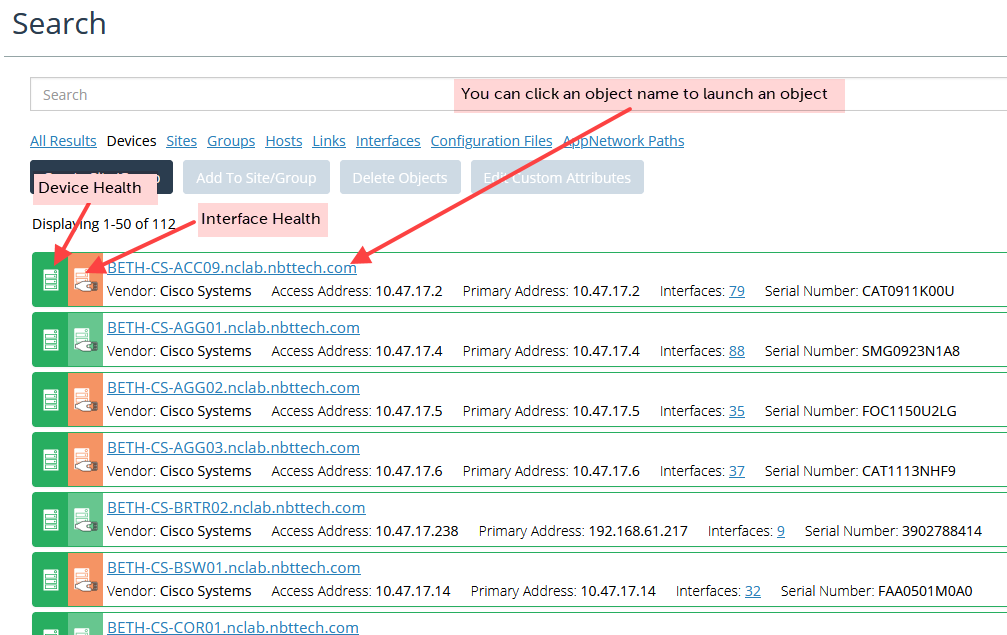
You can navigate the Search page in these ways:
• You can change the area of focus by choosing a different type of results. For example, if you change the focus from Devices to Interfaces, you can jump to the interface results that match our search string.
• You can click an object name to go directly to its object view. For more information, see
Object and Custom Views.
• If you select items in the search results, you can add the items to a group. (The Add To Group button becomes active.)
Navigating the Search page