Working with tests on the Synthetic Tests tab
It is important to note the interaction between the Synthetic Testing page profiles (Configure > All Settings > Administer > Synthetic Test Sources) and tests that exist on the Synthetic Tests screen (More > Synthetic Tests). Specifically:
• Each row on the Synthetic Tests page represents one test. A “test” is the unique combination of one type, one test source (test engine), and one test target. Initially, tests are generated by profiles in the wizard.
• Using the action menu to toggle the Active state of an individual test affects only that test. Toggling the Active check box in the original profile affects all individual tests that were generated by that profile.
• Using the action menu to Move or Copy selected tests to another source automatically modifies the Test Sources settings in the profile that generated the test(s). Modifying the Test Sources list in a profile is equivalent to moving or copying individual tests on the Synthetic Tests page.
• Using the action menu to modify the Target URI of an individual test automatically modifies the Test Targets list in profile that generated that test. Modifying the Test Targets list in a profile affects all individual tests generated by that profile.
• Using the action menu to modify the Name of an individual test has no effect on the profile that generated that test. Modifying certain parameters in a profile affects the Name of all individual tests generated by that profile.
List of tests on the Synthetic Tests page
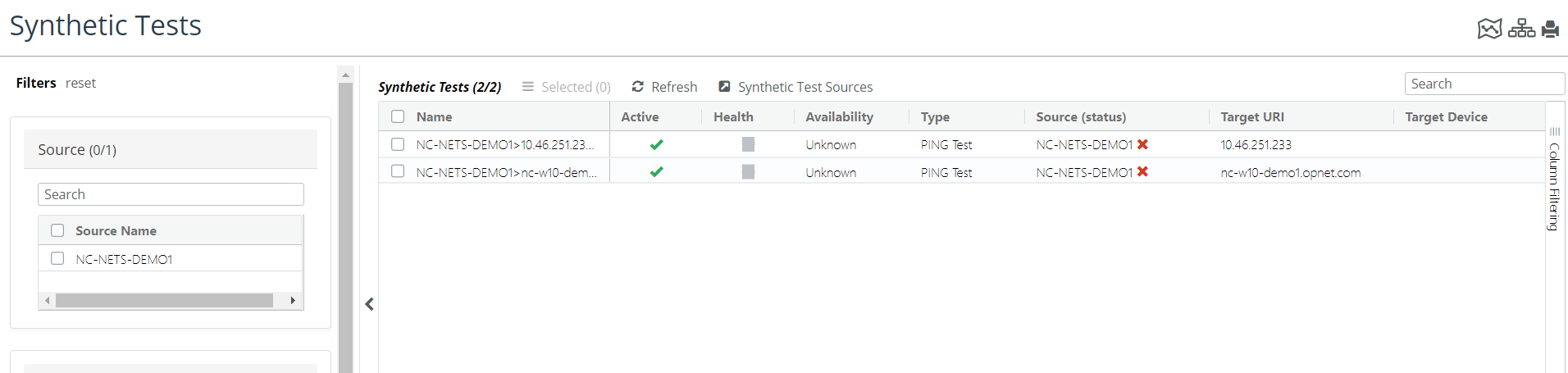
The controls and indicators on the Synthetic Tests page are:
• Select check box—Click the check box in the Name column to select a test of interest. All selected tests are subject to modification in the action menu.
• Action menu—From this menu you can do the following:
– Quick View—Shows the results of the last test.
– Edit—Allows you to modify the test name and the test URI.
– Run Now—Runs the selected test
– Activate—Enables the test to run at the frequency that is set in the test profile.
– Deactivate—Disables the test from running.
– Delete—Deletes the test.
– Copy to Test Source—Copies the test to the Synthetic Test Sources page.
– Move to Test Source—Moves the test to the Synthetic Test Sources page.
Filtering the set of tests that appear on the Synthetic Tests screen
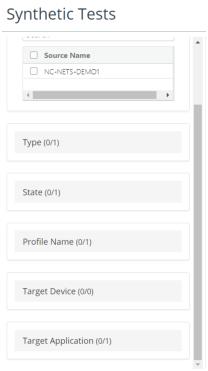
To limit the set of tests that appear in the list, use the Test filter tool in the left-side panel. Each category corresponds to a property that can be associated with an individual test, as shown in the following screen.
Synthetic Tests filter tool