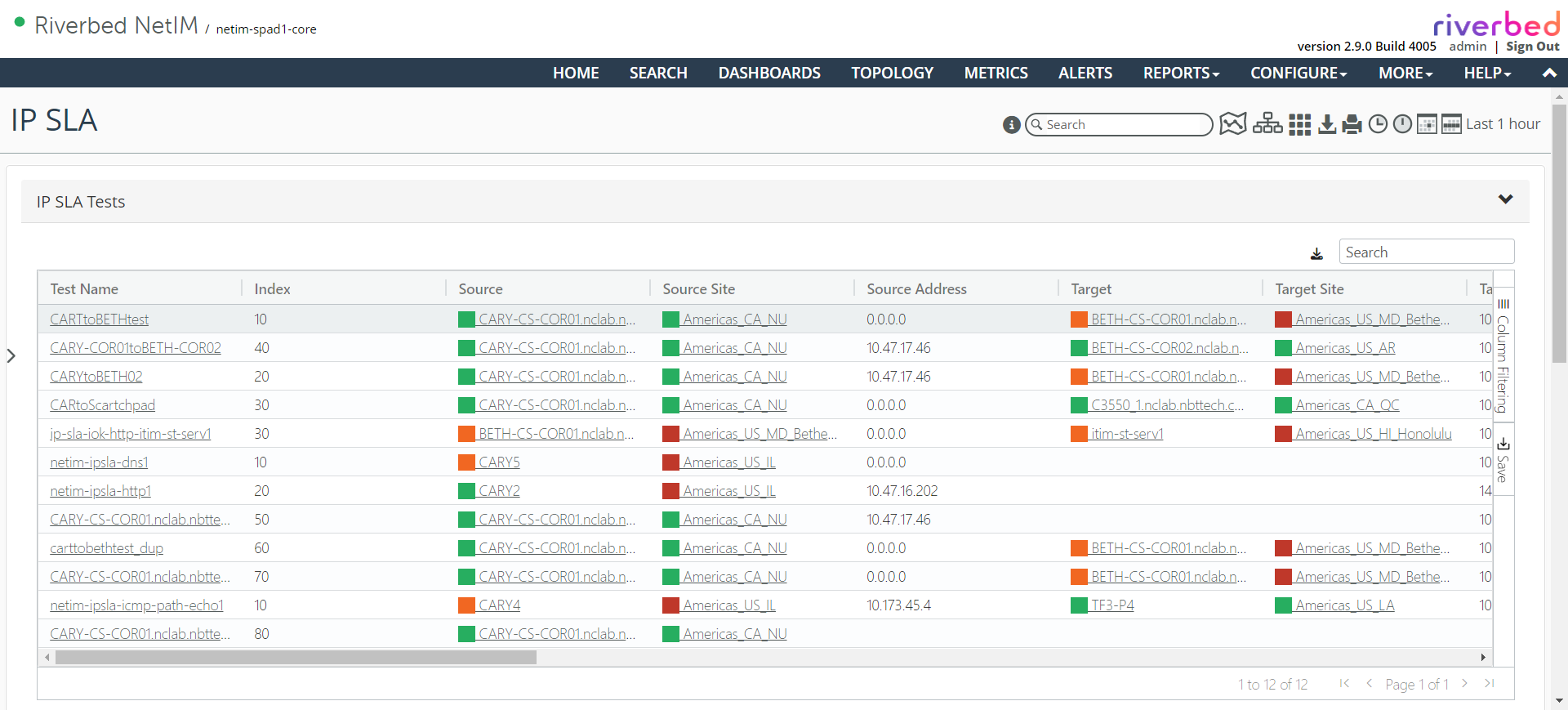
IP SLA Details frame
The IP SLA Details frame consists of several columns of salient IP SLA test information that give you the ability to search, sort, and filter the table of tests. You can also drill down to the specific test, source/target site, or source/target device of the test, as shown in the following screen.
IP SLA Details frame
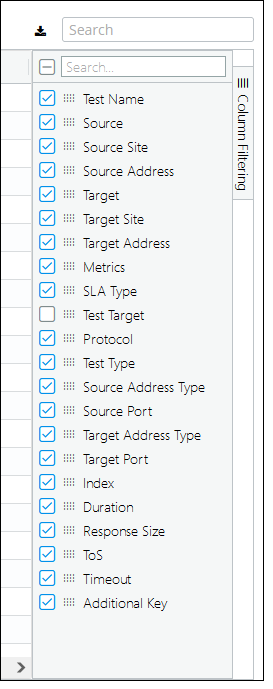
The columns displayed are user-configurable and determined by the Column Layout widget at the right of the frame, as shown in the following screen.
Column layout
The IP SLA Details frame supports drill-downs to the following:
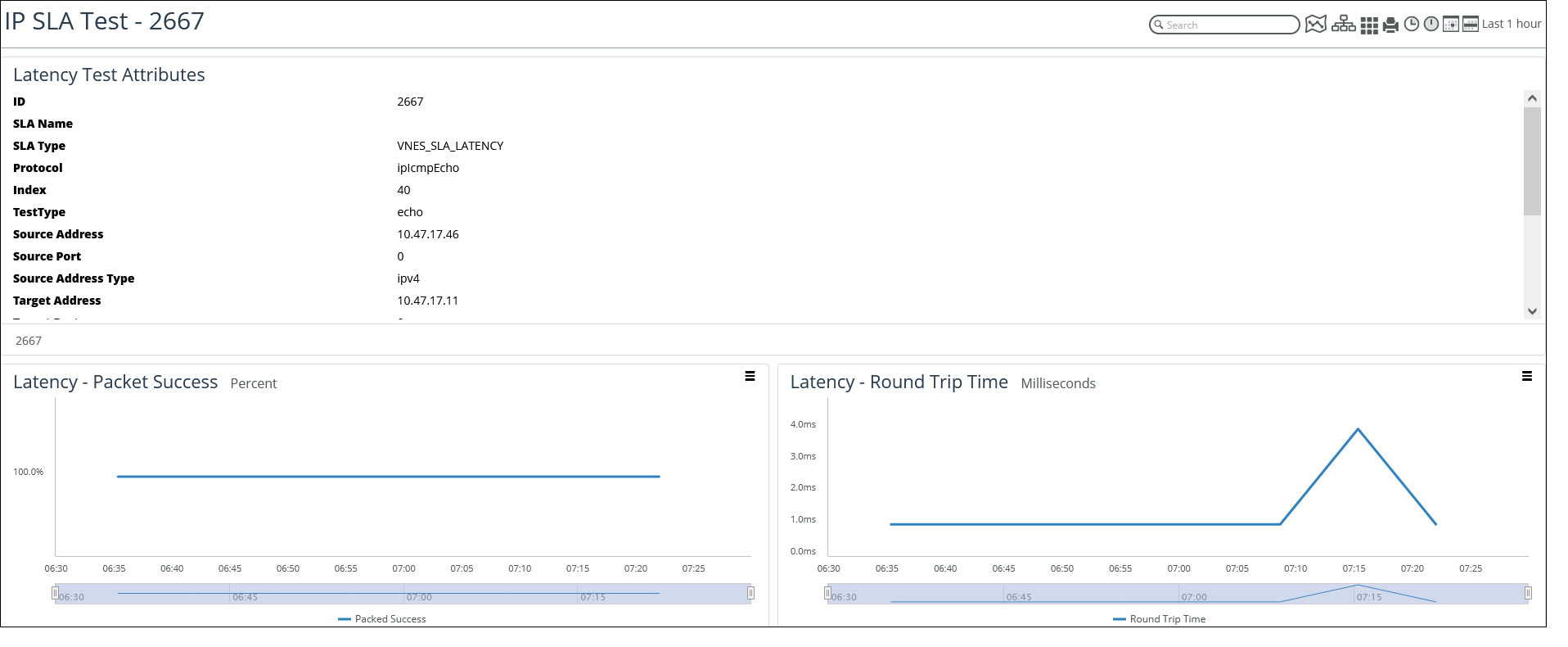
• Test Name—Provides details of the IP SLA test being executed, as shown in the following screen.
IP SLA Test screen
• Source—Provides details of the device being tested by displaying the IP SLA tab of the source device page that contains all the IP SLA tests associated with that device.
• Source Site—Provides details of the site where the device is located, by displaying the IP SLA tab of that site page.
• Target—Provides details of the target of the IP SLA test, by displaying the IP SLA tab of the target device page.
• Target Site—Provides details of the site where the target is located, by displaying the IP SLA tab of the target site page.
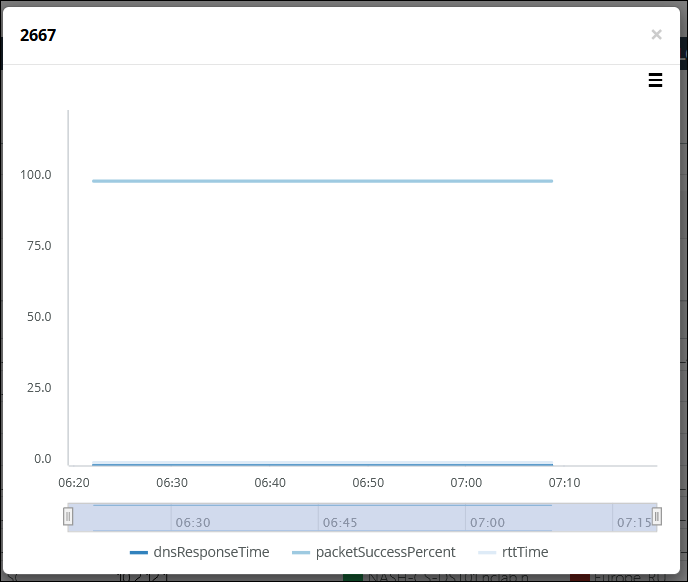
• Metrics—Provides quick view of user-selected metrics over time, as shown in the following screen.
Metrics screen
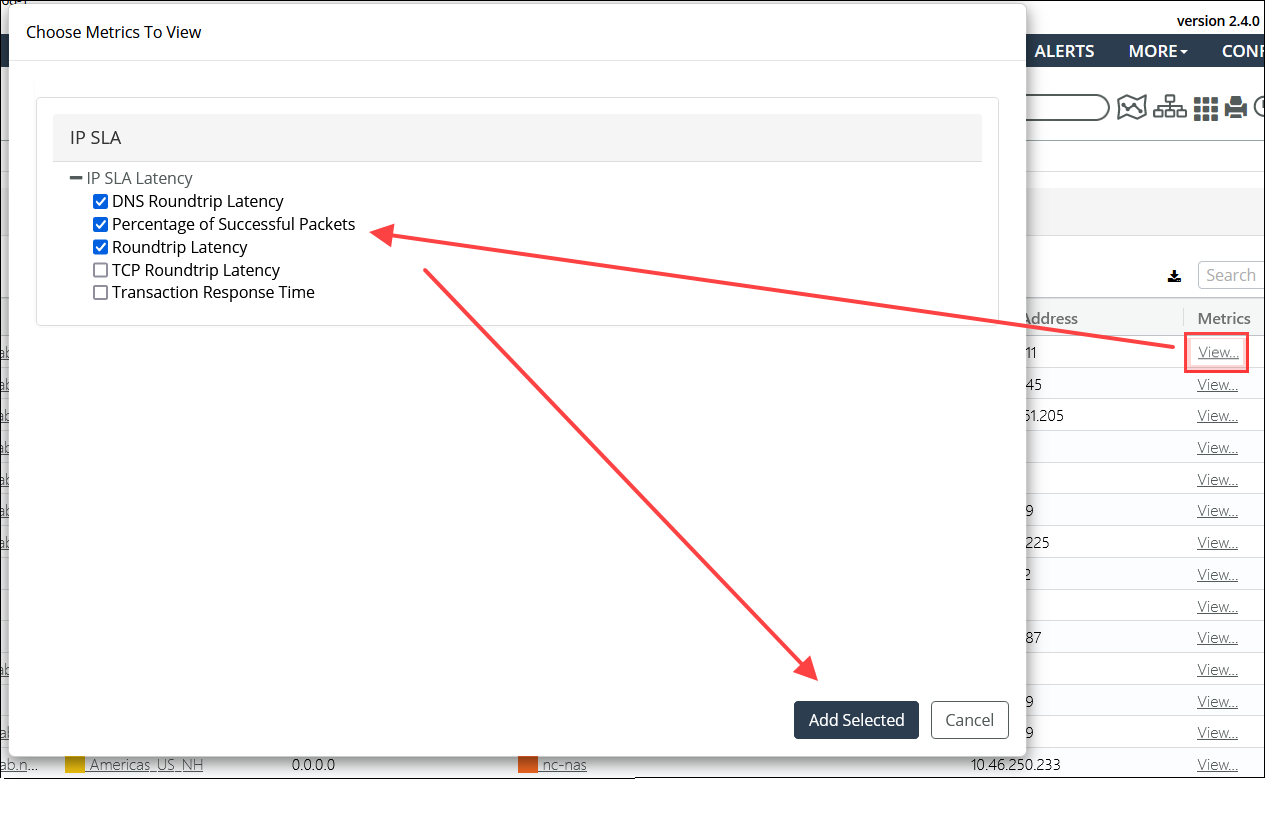
After selecting metrics of interest, click Add Selected to see a histogram of those metrics, as shown in the following screen.
Histogram metrics