Change the time window
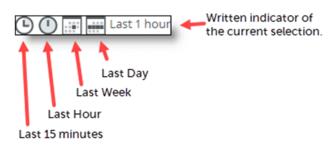
Many of the screens you encounter in NetIM have a time window. The time window is a set of controls, shown in the figure below, that lets you choose the time window of interest to you. Changing the time window widens or narrows the amount of information you see on the given page. Click an icon in the time window controller to change your selection.
Time window
The Home page always shows the most current information.