Searching the topology
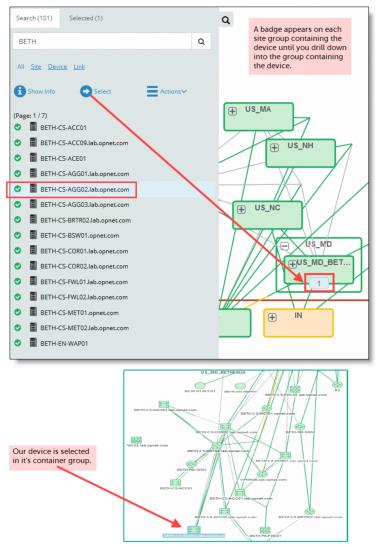
If you want to find a particular device, link, or group, you can use the Search functionality in the Topology Viewer. To use Search, click the search icon (magnifying glass) on the left side of the Topology Viewer. The following dialog box appears.
Searching the topology
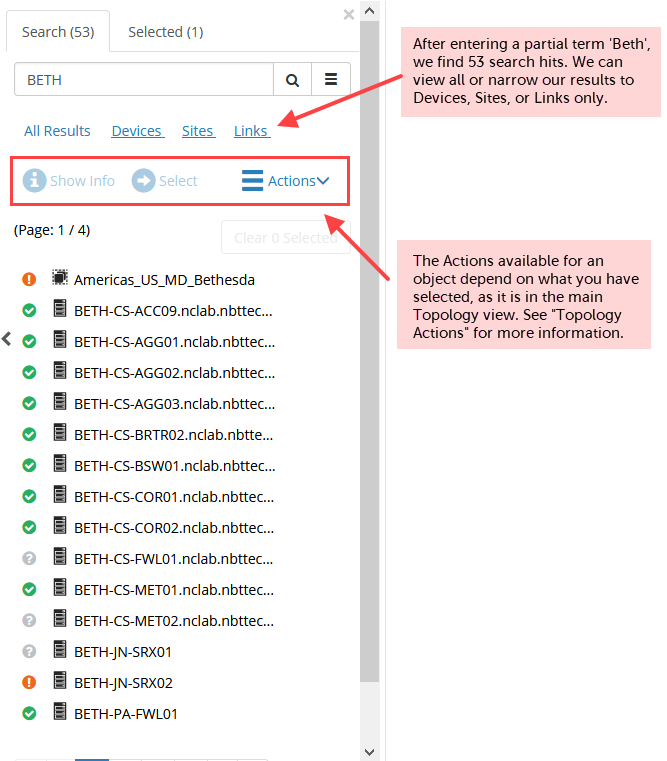
When you select an object in your search results, you may choose Show Info, which works the same way as the Show Info button in the main Topology view, or you may choose Select. In the example below, you have selected a device in our search results and pressed Select. Notice that there is a badge on the site group US_MD, which indicates that our selection is contained within that site group. Next, you drill down until you find the device in a site group. The device is selected for you in the topology.
Using the Select function in search