Configuring alerting entry and exit tolerances
Alert profiles include controls for entry and exit tolerances. These controls allow you to configure the alerting mechanism to be less sensitive to transient metric value changes.
Metric value change over time
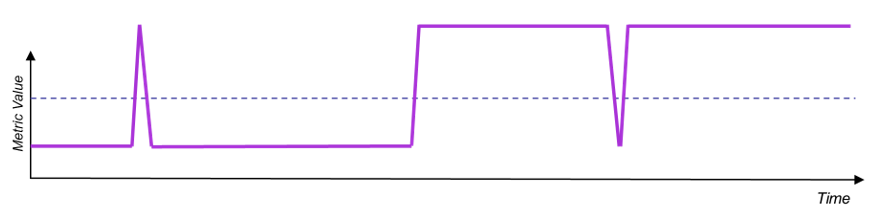
When editing an alert profile, you can set the two controls to meet your requirements:
• Count For Alert Creation: Specifies the number of consecutive in-violation metric samples required to trigger the start of an alert.
• Count For Return to Normal: Specifies the number of consecutive non-violation metric samples required to trigger the end of an alert.
Configure Alert Profile options
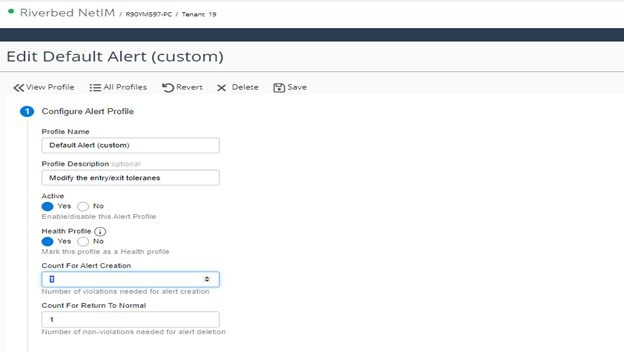
The following examples show how various values of the two new configuration values affect when alerts start and end.
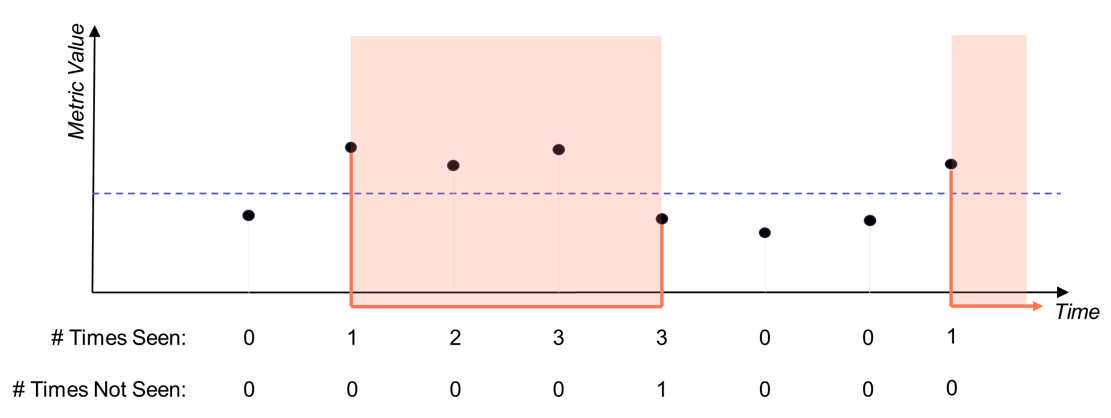
Default: Creation Count = 1, Return-to-Normal Count = 1
In this example, the alerts start with the first sample in violation of threshold and end with the first sample that is no longer in violation of the threshold. This is the default setting.
Example 1 - Configuration values
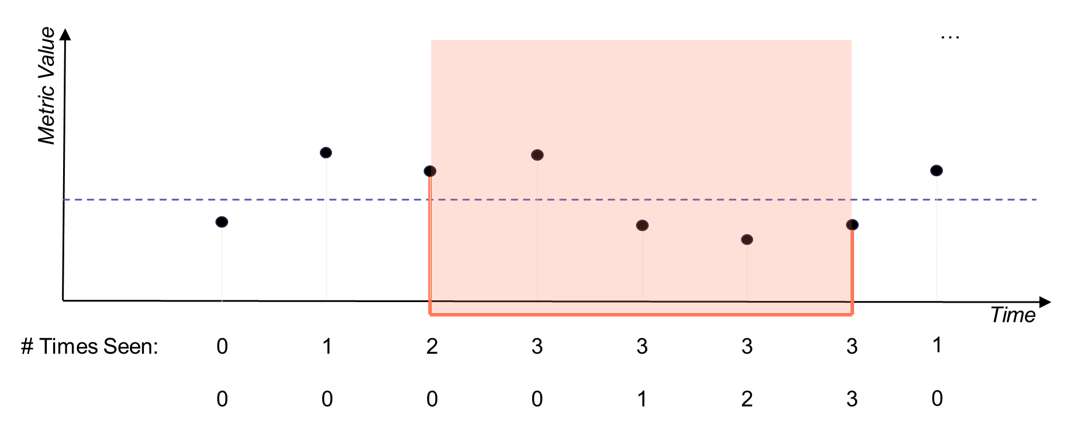
Non-Default: Creation Count = 2, Return-to-Normal Count = 3
In this example, the alert starts after two consecutive in-violation samples are detected and ends only after three consecutive non-violating samples occur.
Example 2 - Configuration values
Delayed Entrance: Creation Count = 2, Return-to-Normal Count = 2 without Completion
In this example, the alert starts after two consecutive violating samples have been received.
Example 3 - Configuration values
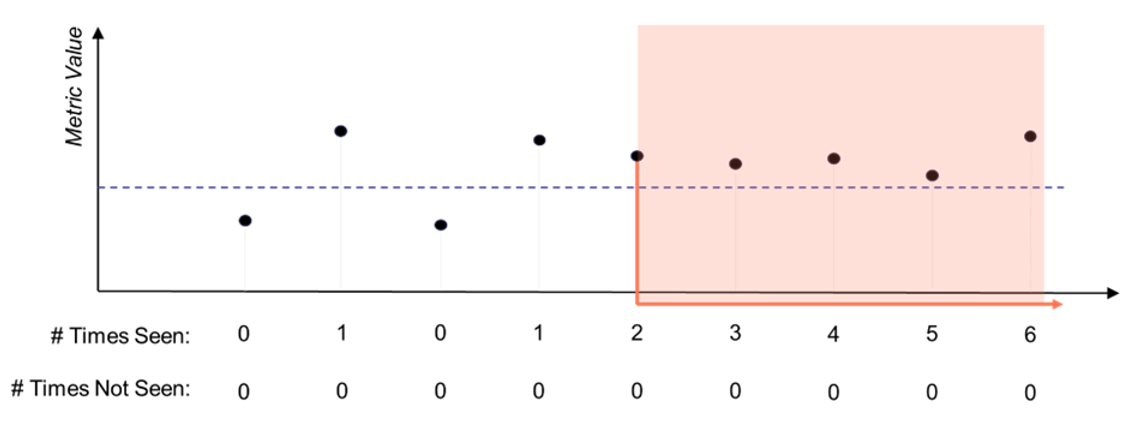
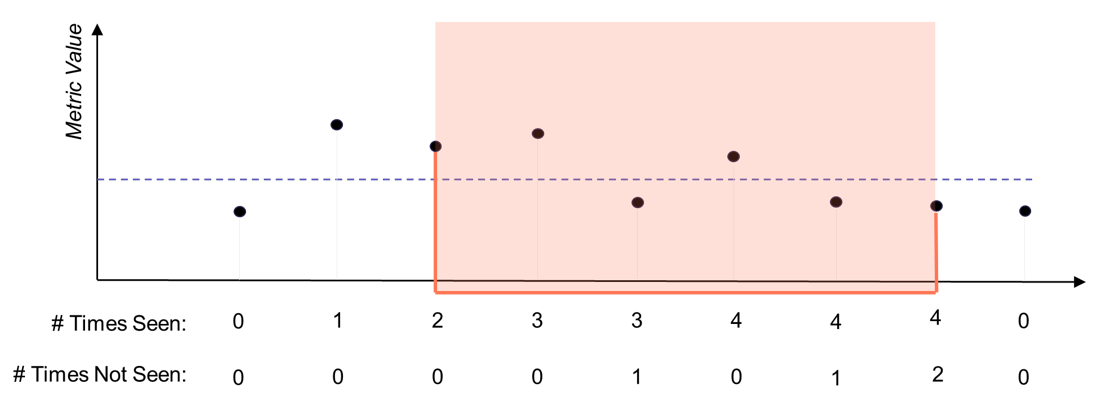
Delayed Exit: Creation Count = 2, Return-to-Normal Count = 2 without Completion
In this example, the alert ends only after two consecutive non-violating samples occur. The “# Times Not Seen” counter resets whenever a violating sample is received.
Example 4 - Configuration values
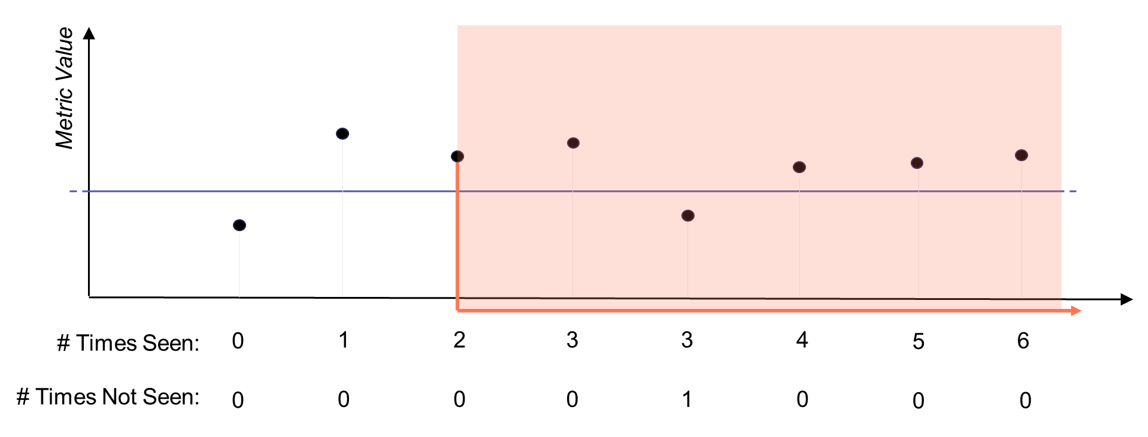
Skipping False Exit: Creation Count = 2, Return-to-Normal Count = 2 without Completion
In this example, the alert continues to stay active after receiving a single non-violating sample.
Example 5 - Configuration values
Notification: Creation Count = 2, Threshold Violation Tolerance =2
The Threshold Violation Tolerance determines when to send notification message for alerts. Its related counter starts once the alert becomes active as shown in the diagram below.
Example 6 - Configuration values
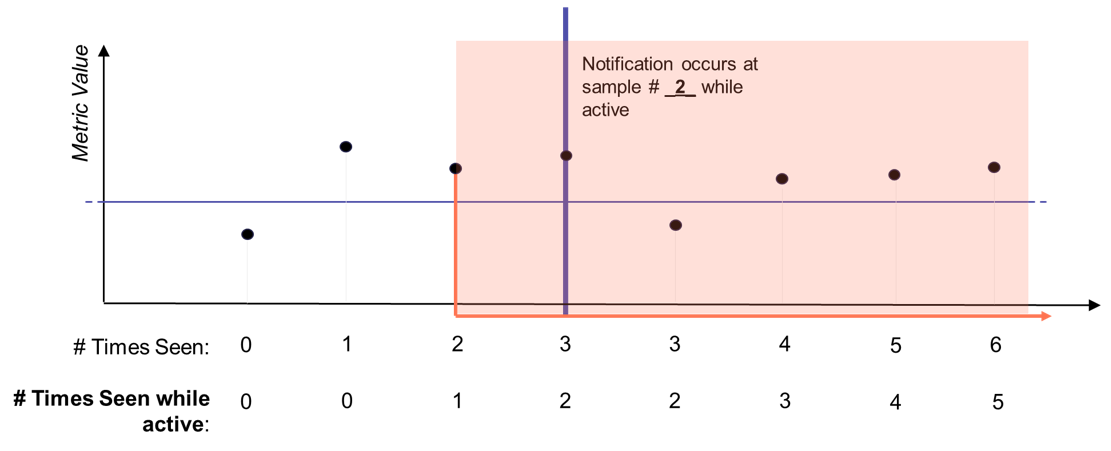
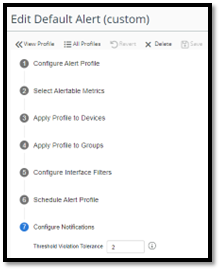
Remember, the Threshold Violation Tolerance value is set in the “Notification” section of the Alert Profile.
Threshold Violation Tolerance value
These examples show how the feature can be used for controlling the sensitivity of the alerting mechanism to transient metric values.