Configuring Synthetic Test Profiles
A Synthetic Test is the association of a:
• test type (such as Ping, HTTP, or DNS), with settings like frequency and type-specific parameters
• test target (a site or service being tested)
• test source (a test engine from which the target is tested)
A Synthetic Test profile is an object that describes a test type and its settings, one or more targets, and one or more sources. A profile yields the multiple tests that are needed for a robust test regimen. For instance, a profile with three targets and three sources yields nine tests.
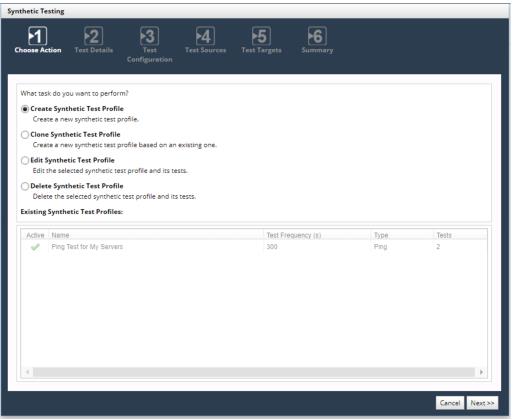
You use the Synthetic Testing wizard to create, clone, edit, or delete Profiles. To access the wizard, choose Configure > All Settings > Monitor: Synthetic Testing, as shown in the following screen.
Synthetic Testing wizard
This chapter includes the following topics:
For additional tips on developing Synthetic Tests, go to
support.riverbed.com and search the Riverbed Knowledge Base for “Synthetic Testing Overview.”