Filtering alerts by severity, type, and time first seen
The Alerts Manager allows you to filter the alerts that appear in the Active Alerts table by severity (Critical, Major, Minor), type (Total Active Alerts, Objects, Profiles), and at time first seen, as shown in the following screens:
• Screen 1—Critical Total Active Alerts, as selected from Active Alerts totals. Active Alerts (indicated by dotted lines) can be filtered by Objects and Profiles.
• Screen 2—Critical Alerts by time first seen, as selected from the bar graph.
Filtering alerts
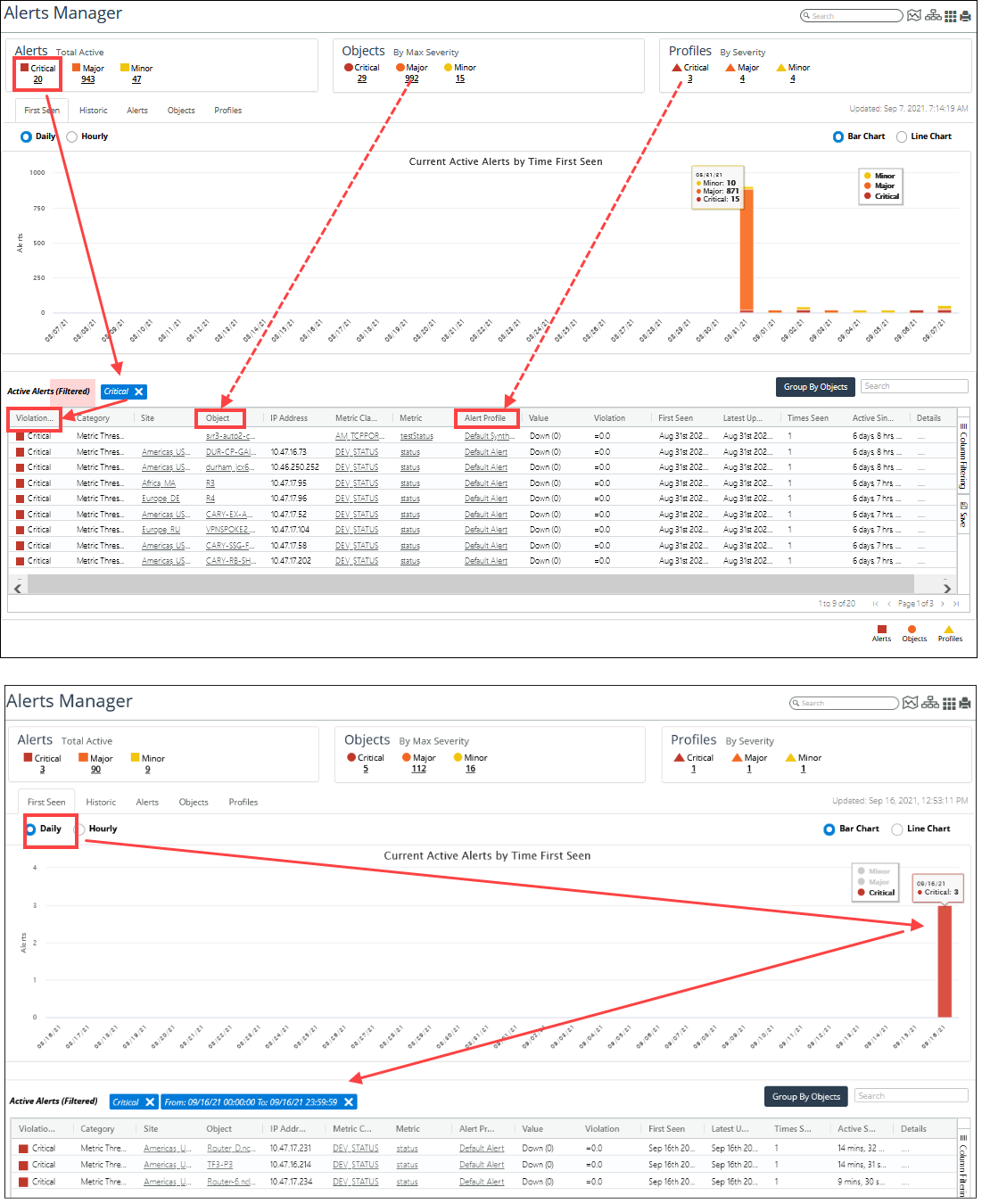
The blue boxes indicate which filters are applied to the list of alerts. Clicking the X in a blue box removes the filter.