Viewing the topology
The initial view, as shown in the following screen, displays top-level devices and site groups, and you can drill down to more information from there. In the following example, showing topology grouped by geography, US is a site group that contains other site groups (states). Within each state group are more site (city) groups. This is one way you might group your network elements.
The interface names now use the shortest name (either ifName or ifDescription).
Topology initial view
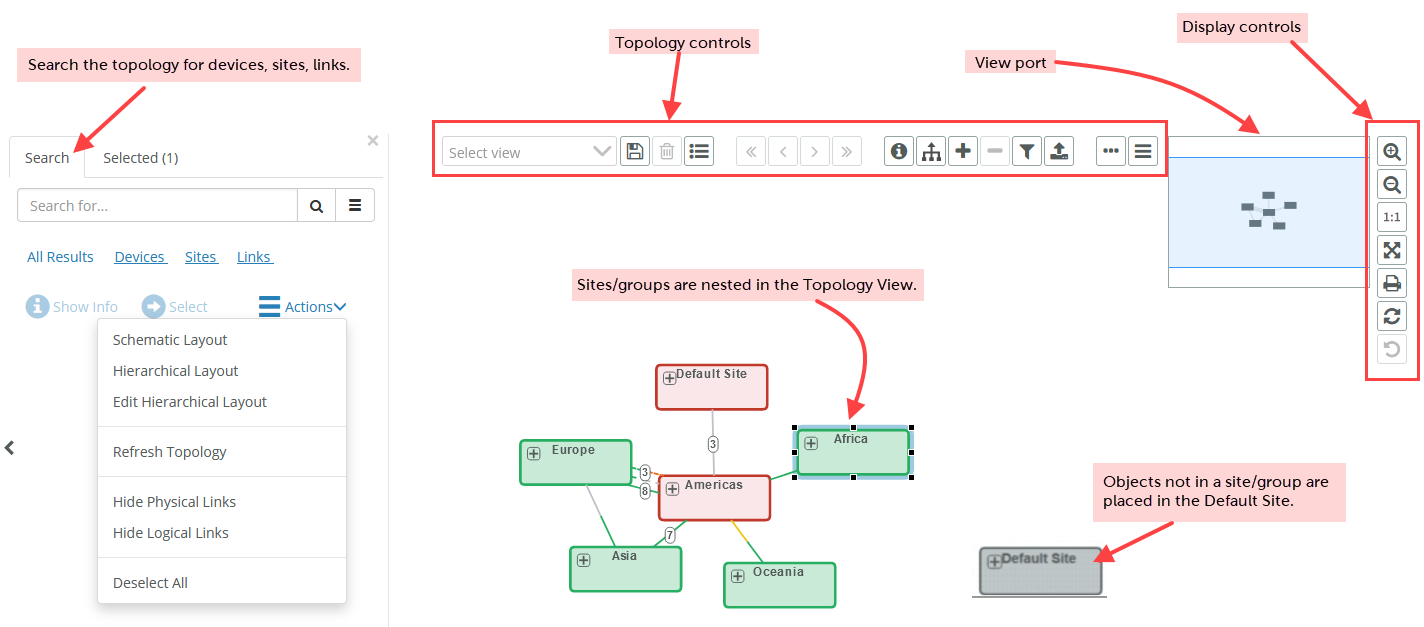
Actions such as zoom and pan, and object selections persist for the duration of your NetIM session unless you reload the page in the web browser.
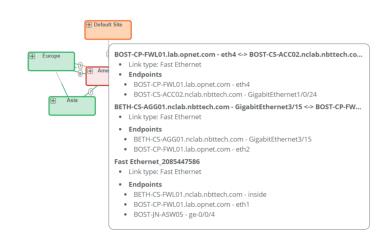
Mouse-over information is displayed for the interfaces, as shown in the following screen.
Mouse-over information displayed for the interface
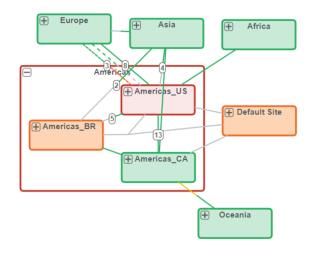
You can also drill down on the topology, by clicking a site, as shown in the following screen in which America has been expanded.
Topology drill-down information
To clear your Topology selections, use the Deselect All action. To return to the top-level (default) view, use the - icon in Topology controls.
For more information about stepping through a topology, see
Topology navigation.