Configuring site suppression
To prevent alert storms, NetIM allows you to designate one or more devices associated with a site as a site gateway. If every designated site gateway goes down, a single Site Down notification is sent, and all alert notifications for that site are suppressed until at least one Site Gateway comes back online, at which point site-wide alert notification resumes.
To configure alert notification suppression
1. Log in to the NetIM UI as admin.
2. Since the device status and availability metric class is essential for generating Site Gateway status, as well as well as site/group status and device health, ensure that the device status and availability metric class is enabled for all the devices and that device status is part of each health profile. For more information, see
Configuring an alert profile.
3. Choose Configure > All Settings > Organize > Site Gateways.
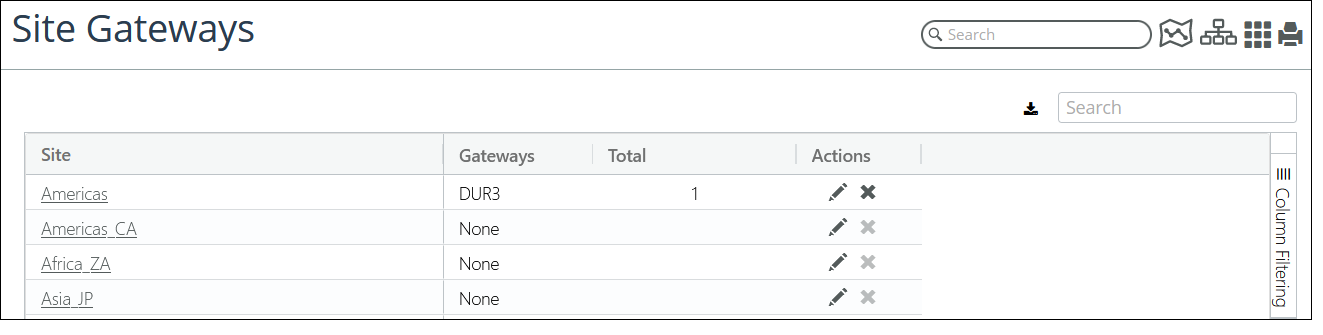
The Site Gateways page displays every monitored site and in the Gateways column lists the name of each gateway device or the word “None” if no gateway devices have been configured for a site. If one or more Site Gateways is configured for a site, the number of Gateways is listed under the Total column.
4. To assign or unassign a site gateway, click the pencil icon under the Actions column for the site of interest. The following screen appears.
Assigning or unassigning site gateways
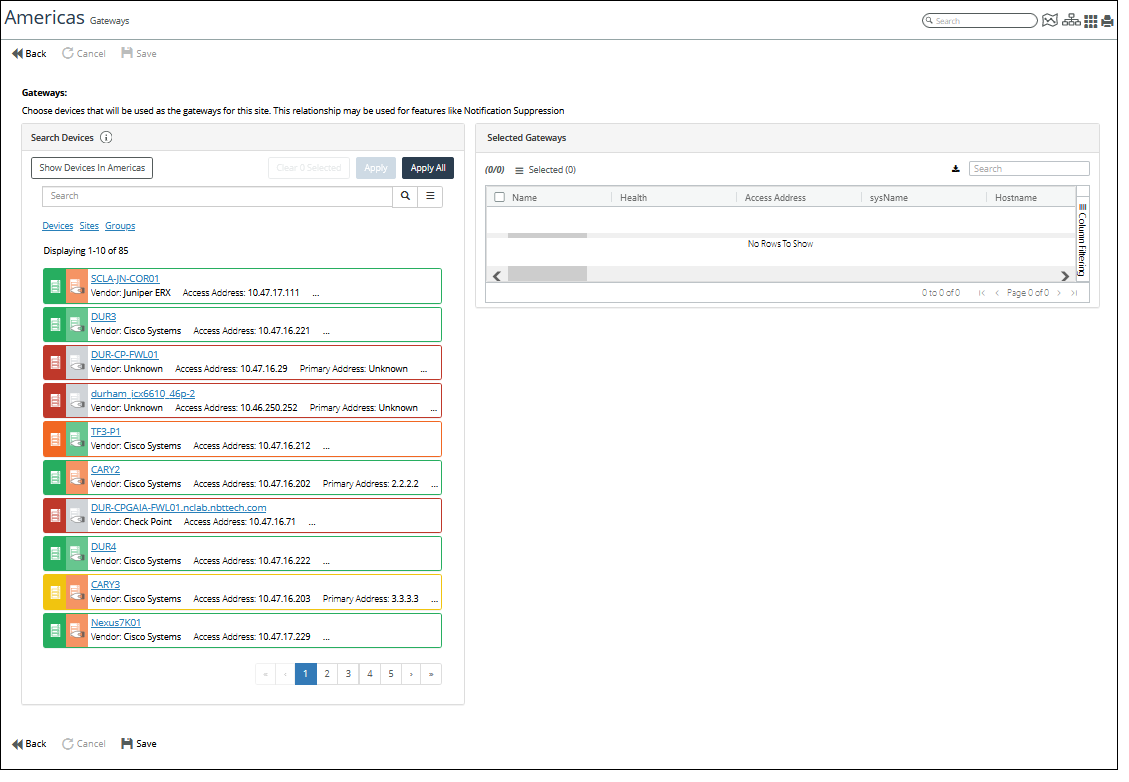
5. To select one or more Gateway Devices for the site, do one of the following:
– (Optional) Use the Search utility to find devices of interest.
– To add all devices, click Apply All.
– To add one or more devices, click the device entry box for each device to highlight the entry, and then click Apply.
You can remove devices by selecting the device(s) and then clicking the action menu and selecting Remove or Remove all.
6. When you are satisfied with your selection, click Save in the lower left of the page.
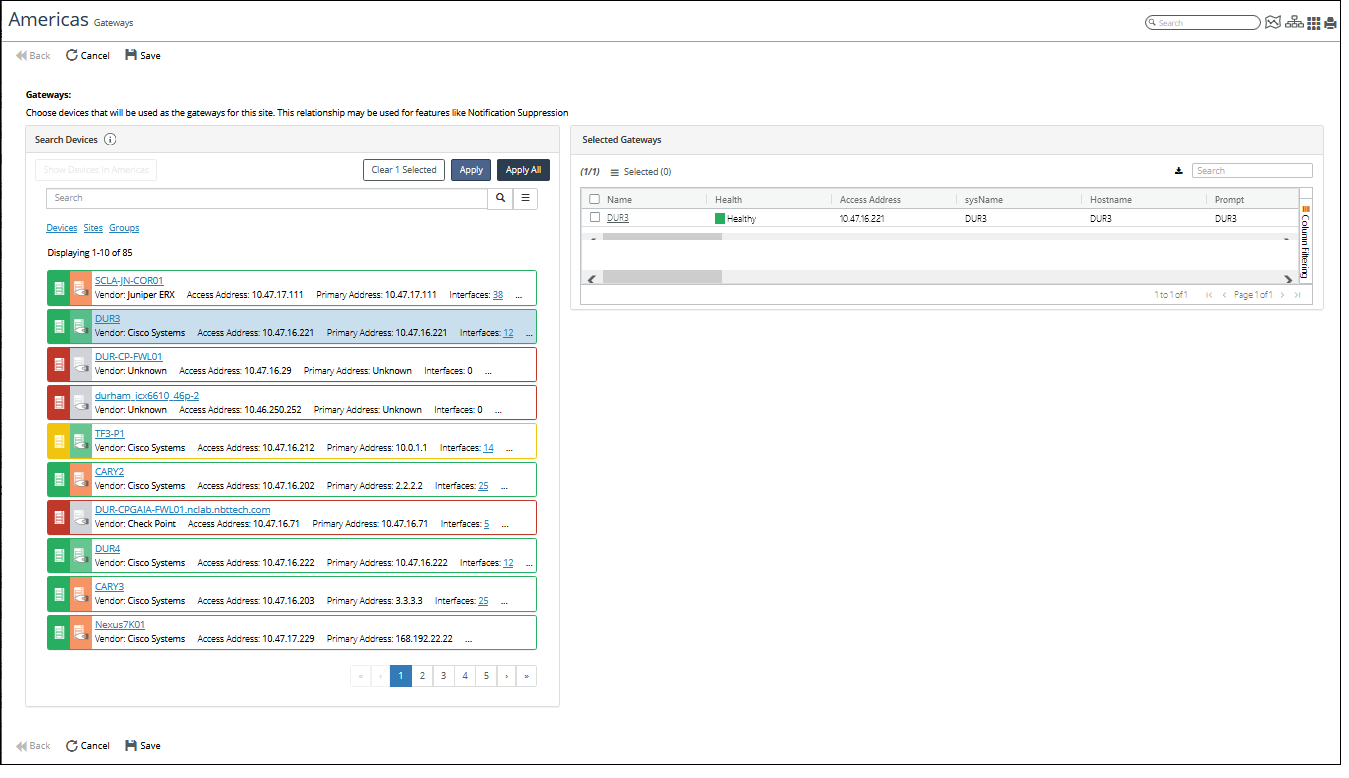
The following screen shows the CISCO DUR3 device being selected as a Gateway Device for the Americas site.
Gateway Device example - CISCO DUR3
The following screen shows the CISCO DUR3 device listed as a Gateway Device for the Americas site on the Site Gateways page.
Site Gateways example - CISCO DUR3
7. (Optional) Gateway Notification Suppression is enabled by default. However, You can globally disable Gateway Notification Suppression from the Configure > All Settings > Customize > General Settings page by clearing the Site Down Suppression check box, as shown in the following screen.
Site Down Suppression check box

8. (Optional) You can view the Site Down Notification Templates on the Configure > All Settings > Alert > Notification Templates page, as shown in the following screen.
Site down notification templates
