Managing search expressions
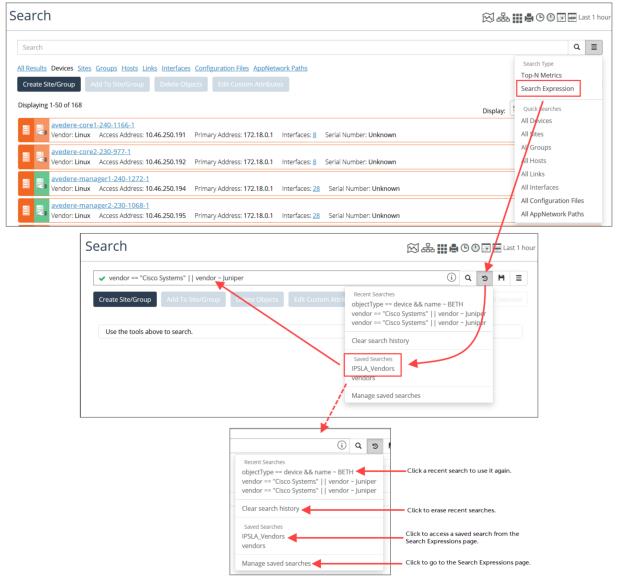
When using search expressions, the Search page not only allows you to create a new expression, but also to select a search expression from a list of previous searches, access a saved search, or manage saved search expressions by going to the Search Expressions page, as shown in the following screens.
Managing search expressions is also supported when creating Performance Summary reports on the Report page. For more information, see
Working with report options. Search Expressions page
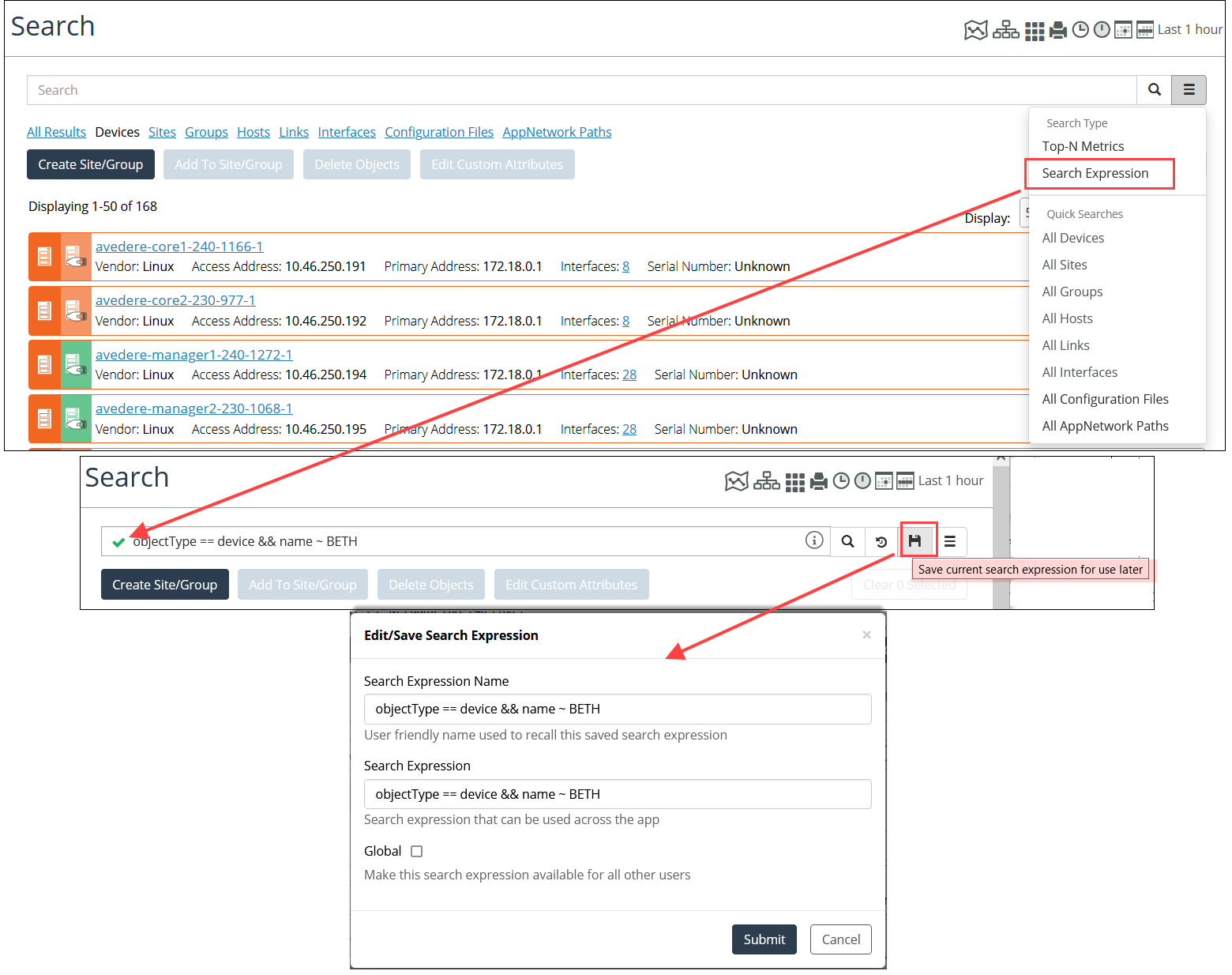
Additionally, you can save a new search expression to the Search Expressions page, as shown in the following screens.
Saving a new search expression to the Search Expressions page
For more information about saved search expressions, see
Using the Search Expressions page.Search expression with scope filtering
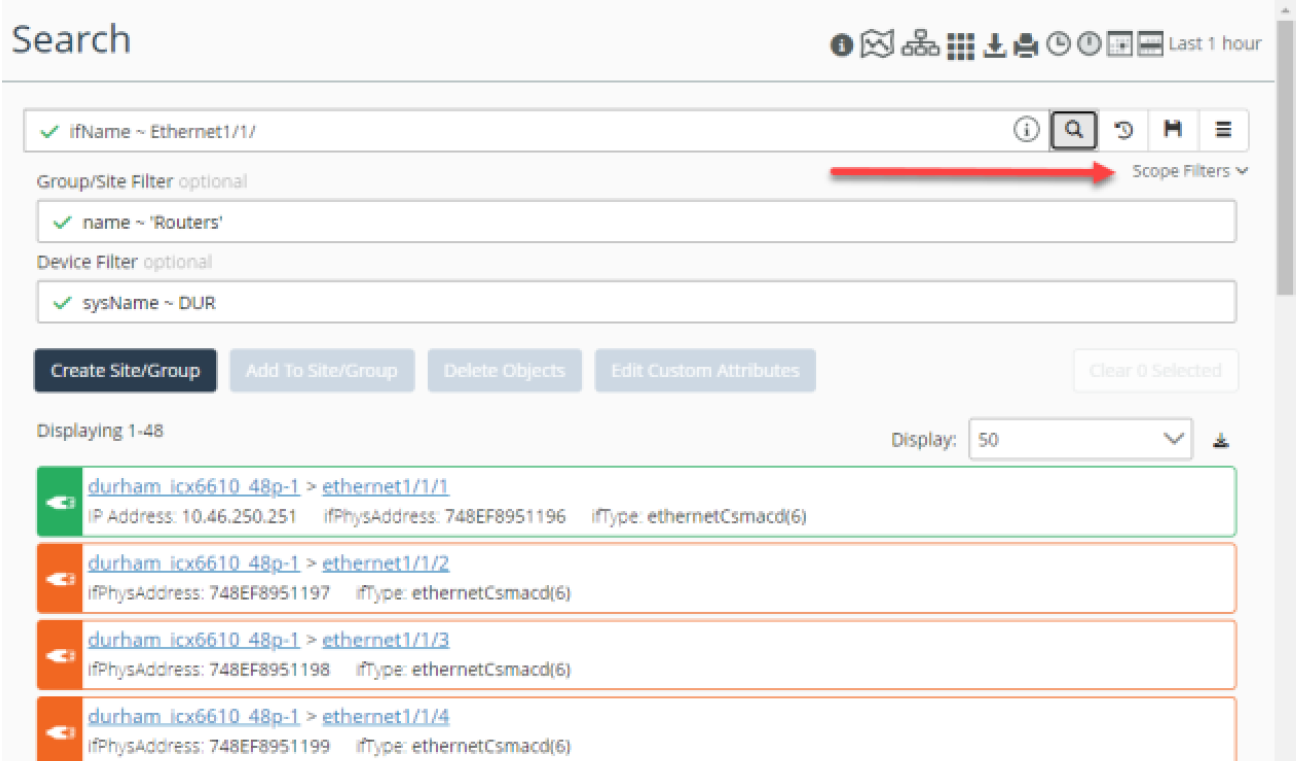
You can now better control your search for objects by enabling filters for sites, groups, or devices. This scope filtering is particularly useful for searching for interfaces.
Scope filtering